Why are stale provisioning profile UUIDs being used in my iOS builds despite updating them in Apple Developer portal?
Last updated: July 27, 2026
Context
When using manual code signing in Codemagic, you may notice that your iOS builds continue to use outdated provisioning profile UUIDs even after you have regenerated or replaced the profiles in the Apple Developer portal. This can cause signing errors such as:
"Provisioning profile ... doesn't support the [App Group capability]"
You might assume Codemagic is caching provisioning profile data server-side, but this is not the case.
Answer
When manual code signing is configured, Codemagic uses only the provisioning profiles that have been manually uploaded to your Codemagic account. It does not fetch profiles from Apple's servers using your App Store Connect API key. This means that any changes made to provisioning profiles in the Apple Developer portal will not be reflected in your builds until you re-upload the updated profiles to Codemagic.
To resolve stale provisioning profile issues, follow these steps:
Regenerate the affected provisioning profiles in the Apple Developer portal to include any new capabilities (e.g., App Groups).
Download the newly generated provisioning profiles.
In Codemagic, navigate to Settings → Code signing identities → iOS Provisioning Profiles and upload the updated profiles, replacing the old ones.
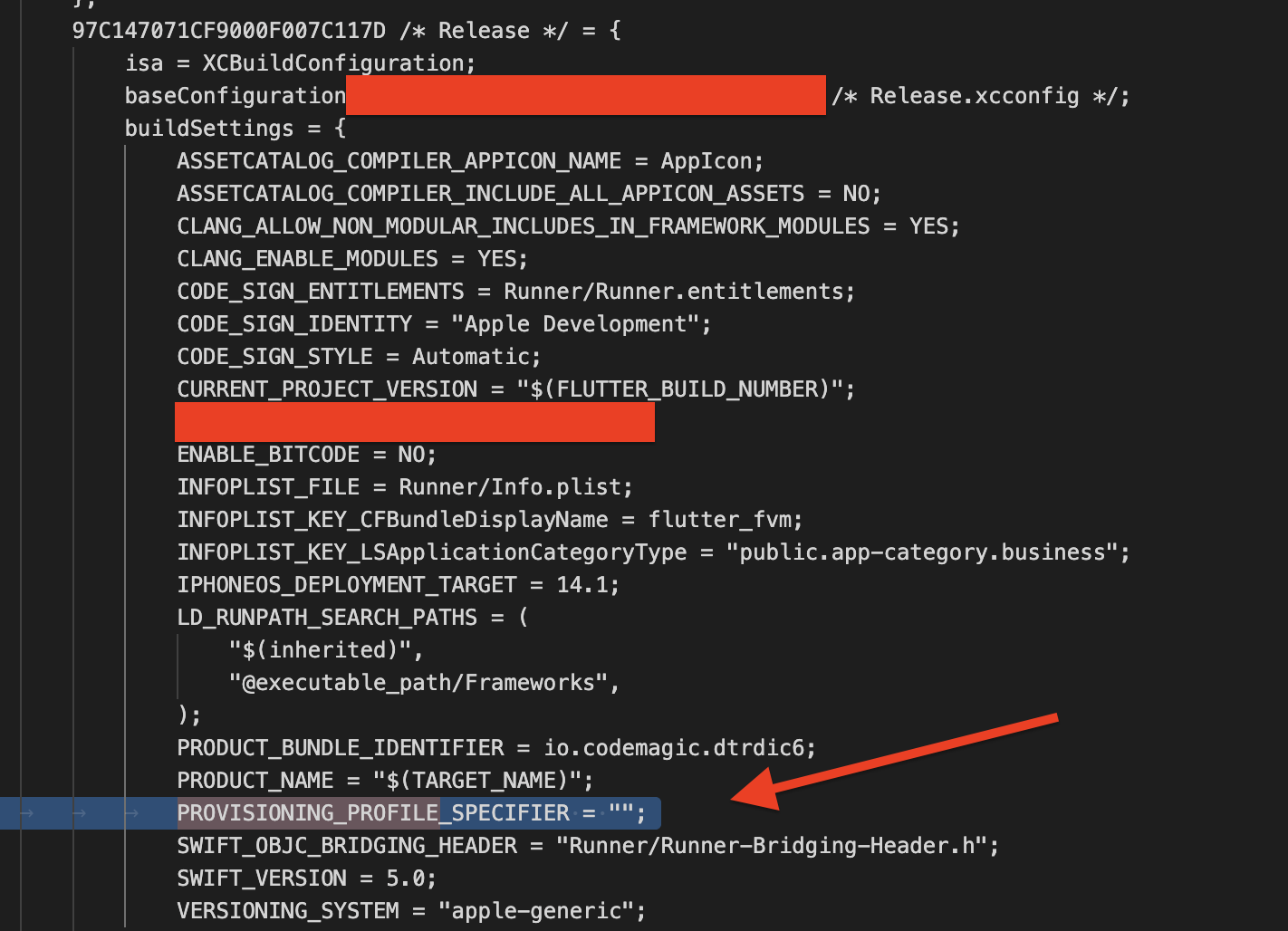
Additionally, check whether provisioning profile UUIDs are hardcoded in your Xcode project. Open ios/Runner.xcodeproj/project.pbxproj and look for the PROVISIONING_PROFILE or PROVISIONING_PROFILE_SPECIFIER build settings under your Release configuration. If any values are present, remove them so that Xcode can automatically use the provisioning profiles installed by Codemagic during the build.