Why is my project missing from my Codemagic dashboard?
Last updated: August 13, 2026
Context
If a project you previously configured and used in Codemagic no longer appears in your dashboard, it may seem like the project was deleted, archived, or hidden. In most cases, the project still exists but is linked to a different Codemagic account or workspace — for example, one associated with a different login method or email address.
Answer
A missing project is most commonly caused by the project being associated with a different Codemagic account or workspace than the one you are currently logged into. To identify where the project is linked, follow these steps:
Go to the GitHub repository that was connected to the missing project.
Look through the commit history for any previous Codemagic build checks (these appear as status checks on commits).
Find a Codemagic check and click the Details button next to it.
On the build details page, click the "View full build logs on codemagic.io" button and copy the resulting URL.
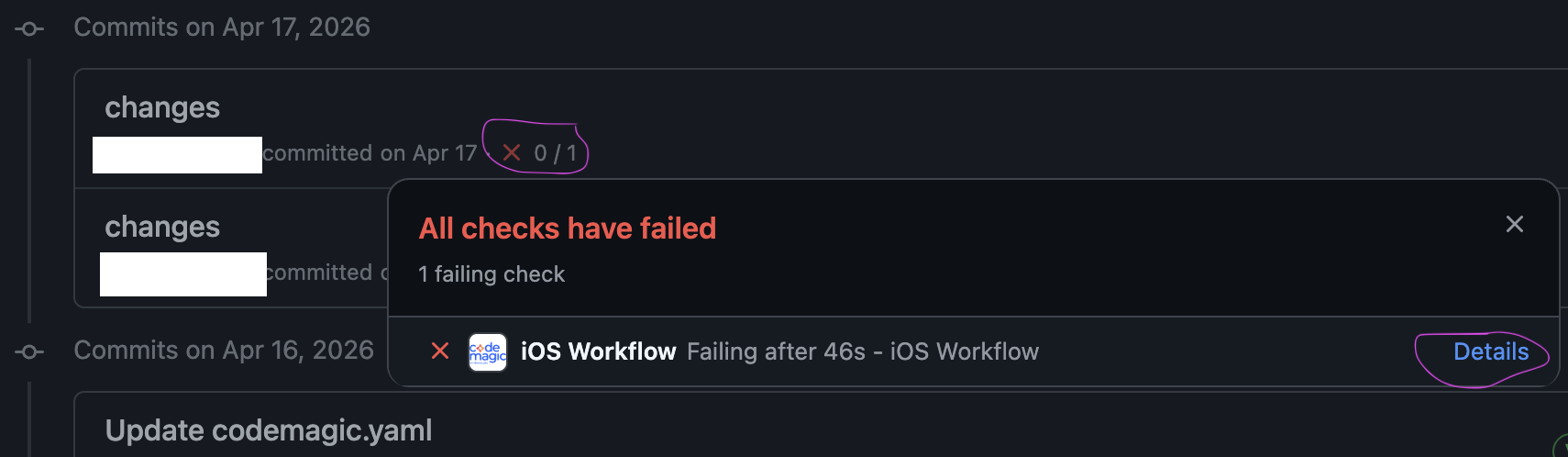
The URL will contain information that identifies the Codemagic account or workspace the project is linked to. You can then use this to determine whether you need to log in with a different account (e.g., a different email or OAuth method) to access the project.
If you are unable to locate any previous Codemagic build checks in your repository, please contact Codemagic Support and provide your email address and login method so the team can investigate further.