Why does my build fail with "Provisioning profile doesn't include the CarPlay Driving Task App capability"?
Last updated: August 21, 2026
Context
When building an iOS app that uses the CarPlay Driving Task App capability, you may encounter the following error during the build process:
Error (Xcode): Provisioning profile "..." doesn't include the CarPlay Driving Task App capability. CarPlay Driving Task App capability needs to be assigned to your team and bundle identifier by Apple in order to be included in a profile.This can occur even if the capability appears to be enabled in the Apple Developer Portal and is visible in your provisioning profile. The issue is not necessarily with your Codemagic configuration or Xcode setup.
Answer
This error is caused by Apple's approval for the CarPlay Driving Task App capability being restricted to Development only, and not yet granted for App Store Connect (Distribution). Apple controls and grants restricted capabilities separately for Development and Distribution environments.
To confirm this is the root cause and resolve it, follow these steps:
In the Apple Developer Portal, go to Certificates, Identifiers & Profiles > Profiles and attempt to manually create an App Store provisioning profile for your App ID.
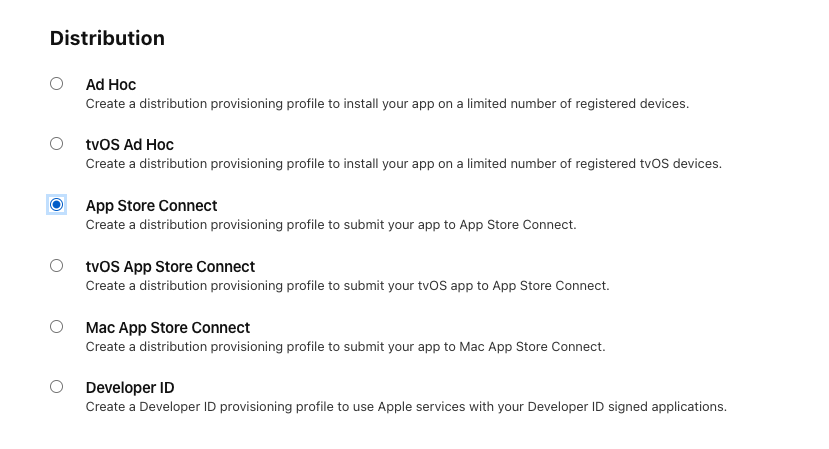
Check whether the CarPlay capability is listed under Enabled Capabilities in the profile. If it is not present, Apple has not yet granted Distribution approval for that capability.
To verify further, inspect your provisioning profile's platform support entries. Behind the (sometimes non-visible) information icon in the provisioning settings panel, you can see whether your profile includes Development, Ad Hoc, and/or App Store Connect support. If only Development is listed, Distribution has not been granted.
If Distribution approval is missing, submit a request (or reply to your existing approval email with your case number) through the Apple CarPlay Entitlement Request Portal and ask Apple to grant App Store Connect / Distribution access for the CarPlay Driving Task App capability.
Once Apple updates your entitlement to include App Store Connect support, regenerate your provisioning profile and retry your build. The error should be resolved.
Note: Apple's initial entitlement approval may only cover Development. Distribution approval is a separate step and must be explicitly requested. Initial requests can take 30+ days, but follow-up replies to an existing case may be processed more quickly.
For additional reference, Apple's official CarPlay documentation recommends disabling Automatically manage signing in Xcode when working with CarPlay projects to avoid provisioning profile conflicts. See: Apple CarPlay Documentation.